A booking link on Instagram: how to set up your profile so people book
In short
- Put the booking link in the profile’s “Links” field: a link typed into the bio text isn’t tappable.
- In three seconds your bio answers three questions: what you do, where you are and how to book.
- In stories and posts, link to the specific service, not the whole price list.
- The link should work for years: people save it, forward it and print it on business cards.
For a specialist or a salon, Instagram is the shop window: people look at the work, read reviews and decide whether to book. But between “I want her” and a booking there’s often “DM for booking”, and a good share of people drop off at that step: some feel awkward writing, some never get a reply. A booking link removes the step.
Where to put a booking link on Instagram
In a profile, a link is tappable only in the “Links” field — typed into the bio it stays plain text. You can add up to five links: the first shows under your name, the rest open as a list. So put booking first.
A link has a title, and that’s what people see. “Online booking” is clearer than a page address.
What to write in your Instagram bio
The bio answers three questions: what you do, where you are and how to book. Everything else goes into posts and highlights.
| Doesn’t work | Works |
|---|---|
| “Nail master ✨ Love what I do” | “Manicure & pedicure · Almaty, Bostandyk district” |
| “DM for booking” | “Book online — link below” |
| “Prices in DM” | “Prices and free times — via the link” |
| Only a WhatsApp number | The booking link first, the number for questions |
Drop “Prices in DM” first: many people read it as “must be expensive if they hide it” — and don’t ask.
How to send people from stories and posts straight to a service
A general link is fine for the bio. In a post about a new service, a story showing your work or a reply to “how much is this?”, a link that opens booking right on that service works better: nobody has to look for it in the price list.
- A pinned “Booking” story with the link — first among your highlights.
- A “Prices” highlight with a screenshot of the price list goes stale with your first price rise. A booking link, where prices are always current, is more reliable.
- A post with your work — the name of the service and “book via the link in my profile”.
- “How much?” in the comments — reply by DM with a link to that service.
Why the link should never change
People save the link from your bio in their notes, send it to friends, print it on business cards. If it ever stops opening, you won’t find out: people simply won’t reach the booking.
A specialist in a salon: whose link goes in the bio?
A specialist who works in a salon has two audiences: their own followers and the salon’s clients. Ideally the specialist’s link leads to them — their services and their free time — while the booking lands in the salon’s schedule. Then they don’t have to choose between a personal brand and the place they work.
Check your profile through a client’s eyes
- Open your profile on someone else’s phone, not logged into your account.
- Is it clear within three seconds what you do and where?
- Tap the link: can you see straight away how to book?
- Go through a booking for a real service — how many steps, and where do you want to stop?
- Compare the times on the page with your real schedule.
Frequently asked questions
How many links can I add to an Instagram profile?
Up to five. The first shows under your name and the rest open as a list — so put booking first.
Do I need a link-in-bio page?
If your main link is booking, an in-between page only adds a step. It makes sense when you genuinely have many links: booking, a shop, courses.
Why do people look at my profile but not book?
Usually there are too many steps between interest and booking: find the prices, write, wait for an answer. Walk the client’s path with the checklist above and remove the extra steps.
How do I take bookings through Instagram as a self-employed specialist?
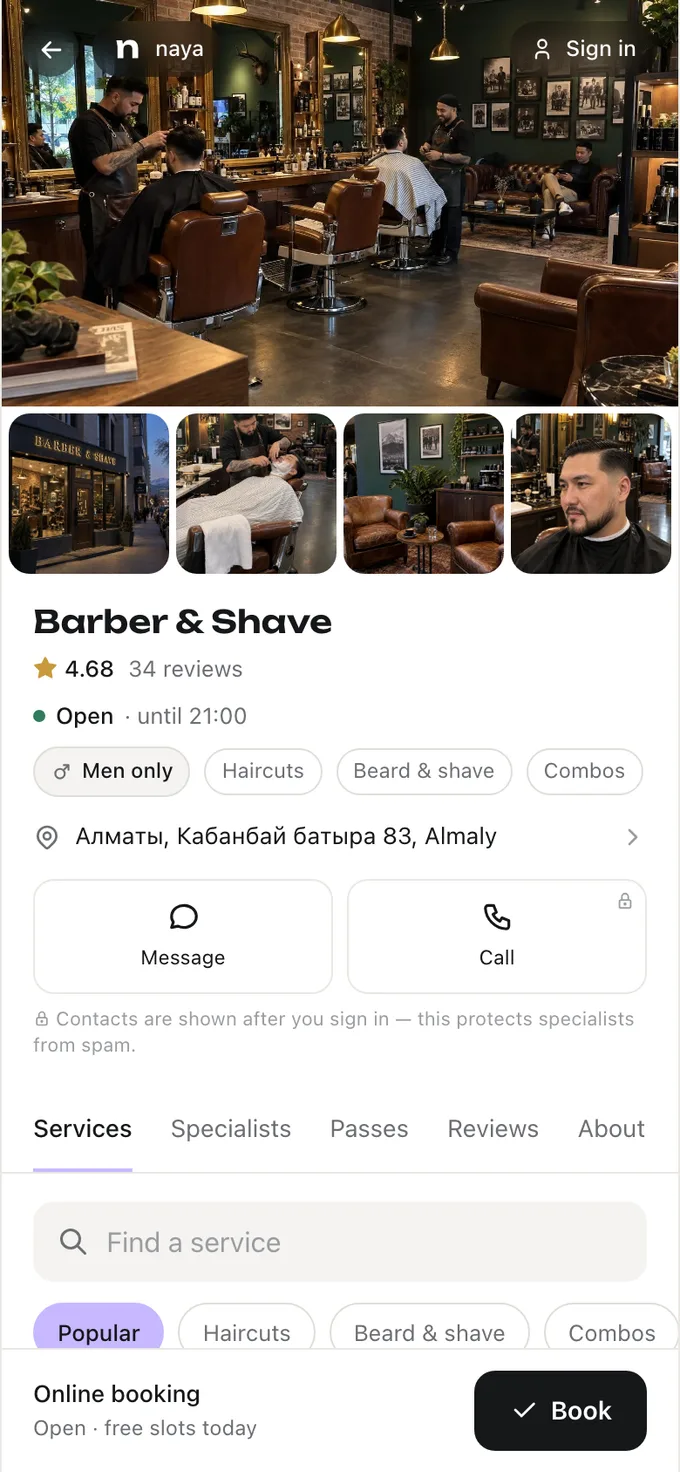
You need a booking page with your own price list and schedule. In Naya that’s the specialist’s personal page — its address goes into the “Links” field. More on getting started — in “Online booking for a beauty salon”.
All of this is already in Naya
Online booking, client reminders, client cards and a till — in one dashboard for a salon or a specialist.