An AI receptionist for a salon: what it can do, where it gets things wrong and how to choose one
In short
- An AI receptionist is software that answers clients in a messenger on its own: it quotes prices, suggests times and makes bookings.
- It handles repetitive questions and late-night messages well, but gets things wrong where it can’t see the real schedule and price list.
- Before connecting one, find out five things: where it gets available time from, how it hands a conversation over to a person, how it’s connected to WhatsApp, who sees the messages and how the price is calculated.
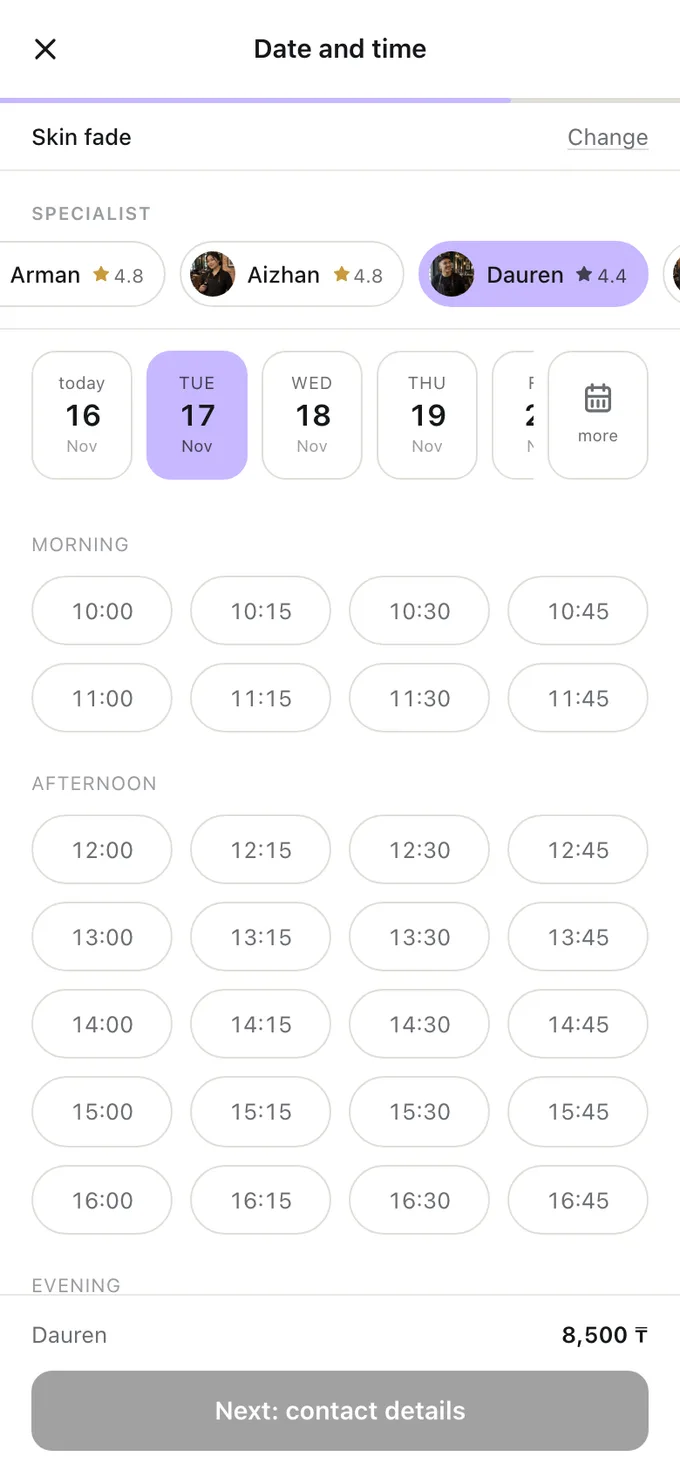
- The most reliable answer to “any time?” is a booking link: the slots there are calculated from the schedule, not made up.
Clients write to a salon at any hour, while the receptionist works set hours. Hence the demand for AI assistants: the software answers in seconds, at night and at weekends. It works, but not equally well everywhere. Here’s what such an assistant does, where it gets things wrong and what to ask the provider.
What an AI receptionist can do
- Answer the repetitive questions: prices, the address, parking, how long a service takes, whether you can bring a child.
- Suggest times and make bookings — if it’s connected to the schedule.
- Answer at night and at weekends, when there’s no receptionist.
- Remind and win back — write to people who didn’t reply or haven’t been in for a while.
These are the same tasks a receptionist handles in the chats. The difference is that the software doesn’t get tired and replies at once, but it knows only what it has been given.
Where an AI assistant gets things wrong
- Times “off the top of its head”. If the assistant can’t see the real schedule, it offers slots by general rules or from an old list — and the client turns up at a time that’s already taken.
- An old price list. The price was raised in the dashboard, but nobody told the assistant. The client argues at the till.
- Consultations. “Would this colouring suit me?” is a question for the specialist. A confident answer from a machine is more dangerous here than “I’ll check with the specialist”.
- Complaints. An unhappy client needs a person, not a polite auto-reply.
- Complicated requests. Rescheduling, cancelling, two services with different specialists: the longer the chain, the higher the chance of a mistake.
The general rule: an assistant is good where the answer can be checked against data, and risky where the answer is an opinion.
What to ask before connecting one
- Where does the available time come from? The assistant should look at the same schedule that reception and the specialists book into, not at a separate spreadsheet.
- How does a conversation pass to a person? The client asks for a person, the assistant doesn’t know the answer, the client is unhappy — a team member should see straight away that they’re needed.
- How is it connected to WhatsApp? Ask whether the connection goes through the official WhatsApp Business API and what happens to the salon’s number. Unofficial connections break WhatsApp’s rules, and the number can be blocked.
- Who sees the messages? Clients’ messages are personal data. Find out where they’re stored, who at the provider has access to them and how to delete them.
- How is the price calculated? A subscription, a percentage of every booking or a charge per message — work it out with your own numbers, as in the article “How much booking software for a salon costs”.
Who answers best: an assistant, a booking link or a person
| Client’s question | Who answers best |
|---|---|
| “Any time on Saturday?” | A booking link: the slots are calculated from the schedule |
| “How much is it and how long does it take?” | An assistant or the booking page: the answer is in the price list |
| “Would it suit me?” | The specialist |
| “I want to reschedule” | The link in the booking — within your cancellation rules |
| “I’m unhappy with yesterday’s visit” | A person, and quickly |
An assistant and a booking link don’t get in each other’s way: a good assistant answers “any time?” precisely by sending the link or suggesting slots from the same schedule.
Where to start
- Count what share of a week’s messages are questions about times and prices. That’s what you can hand over to a link or an assistant.
- Put the booking link in your WhatsApp Business greeting and your Instagram profile.
- If you connect an assistant, start with a narrow set of questions, and read its replies every day for the first few weeks.
- Agree which person picks up the conversation and how fast.
Frequently asked questions
Can AI fully replace a receptionist?
For messaging about available time and prices — largely, yes. Greeting clients, consultations, disputes and the till — no. A realistic goal is to take the routine off the receptionist, not to take away the receptionist.
Is it safe to connect AI to a salon’s WhatsApp?
If the connection is official, through the WhatsApp Business API, yes. Unofficial connections break WhatsApp’s rules, and the salon’s number can be blocked.
What if the assistant got the time or the price wrong?
Book the client for what they were promised, if that’s possible, and find the cause. Most often the assistant can’t see the real schedule or is working from an old price list.
Do I need an AI assistant if I have online booking?
Not necessarily. Online booking already answers the most common question — “any time?” — and doesn’t get the slots wrong. An assistant is useful if you get a lot of messages and most of them are questions whose answer is in the price list.
All of this is already in Naya
Online booking, client reminders, client cards and a till — in one dashboard for a salon or a specialist.